One PC becomes your all-in-one live production studio
Gemiso Live Studio replaces a rack of broadcast hardware with one application — purpose-built for real-time video switching, clean recording, and multi-platform streaming. Combine cameras, mics, video, and CG graphics into broadcast-grade live production on a single Windows PC.
Everything You Need for Live Production
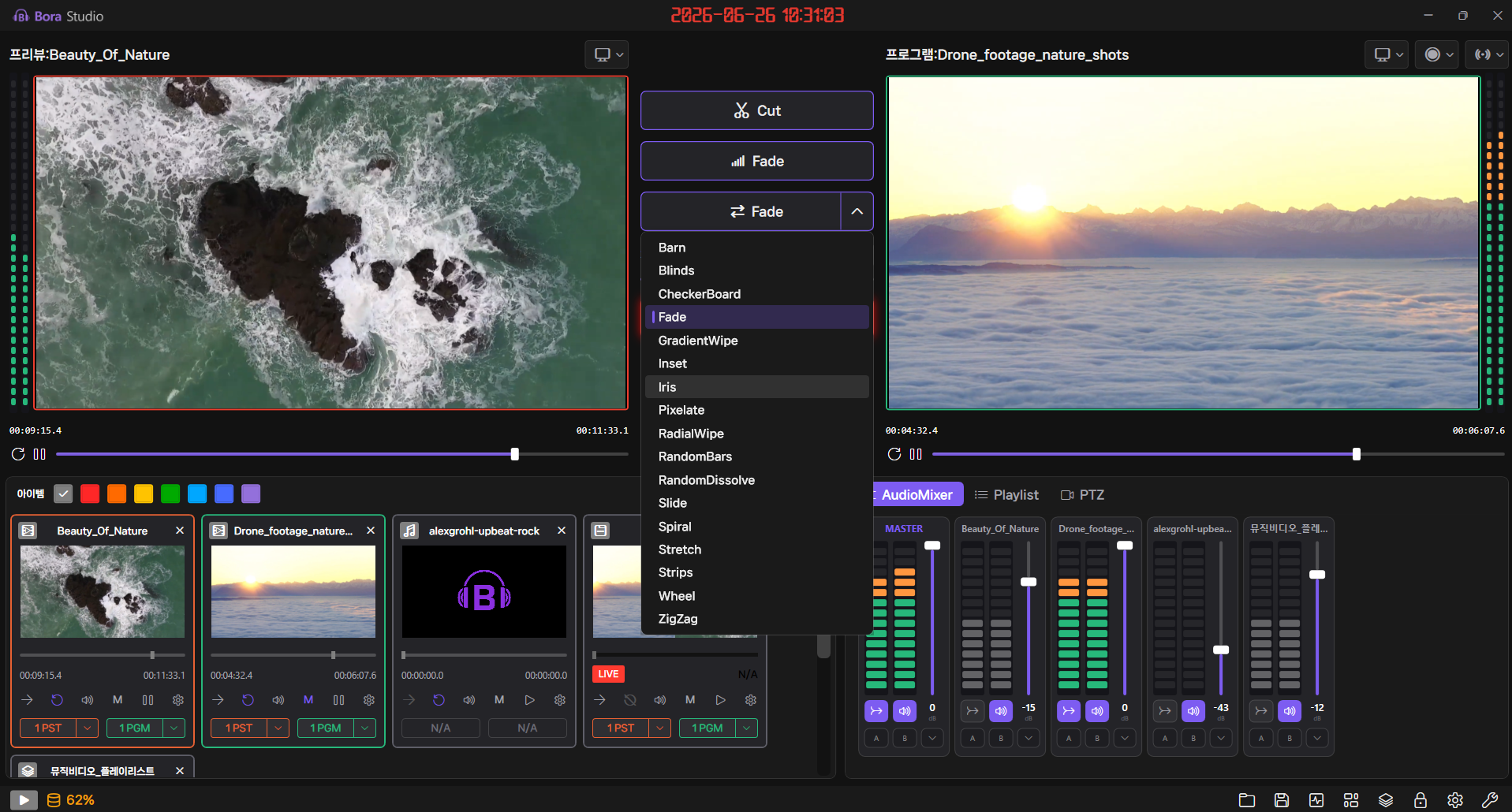
Real-Time Video Switching
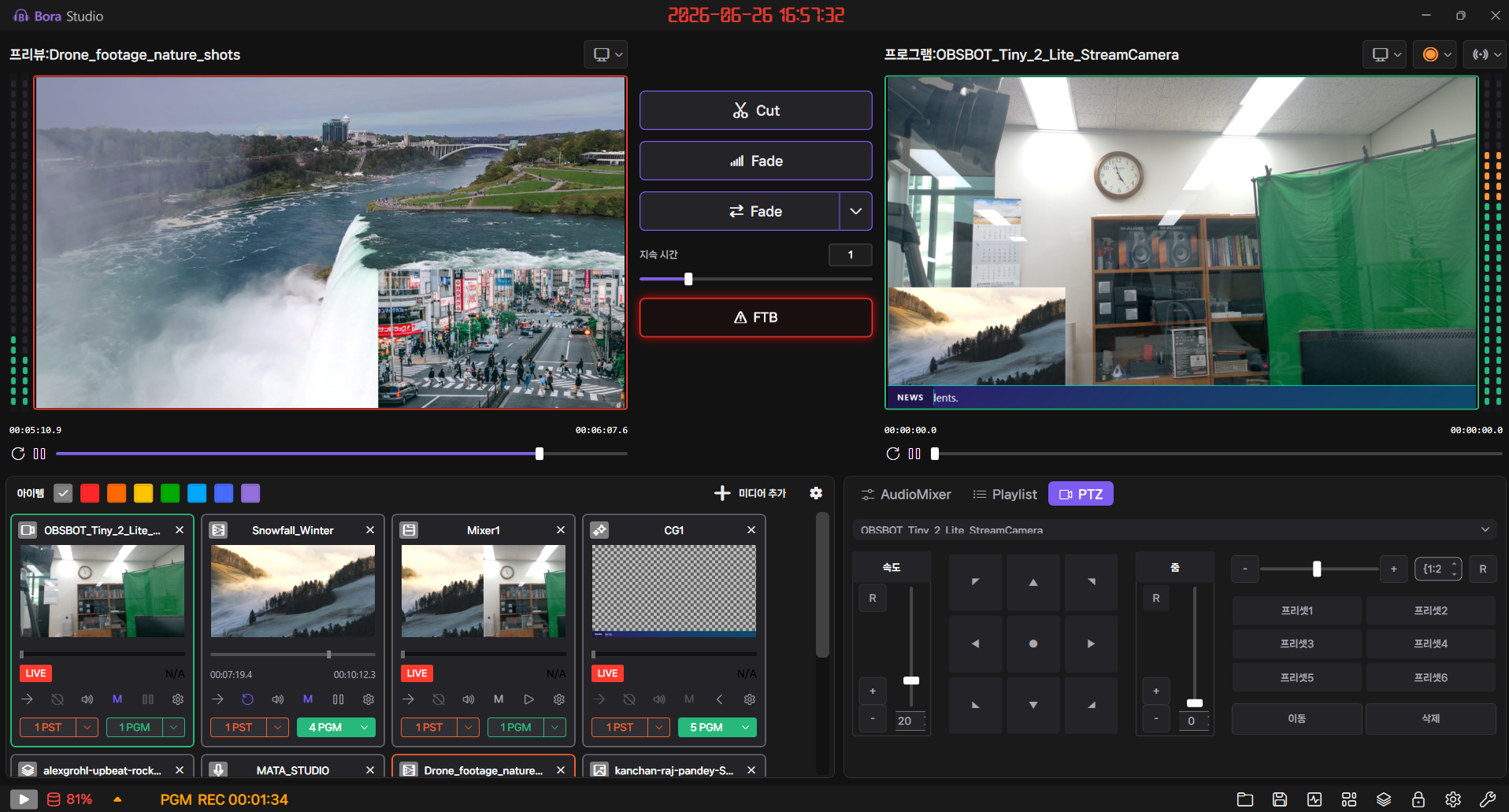
A separated PGM/PST workflow with cut · fade · custom transitions, and FTB.
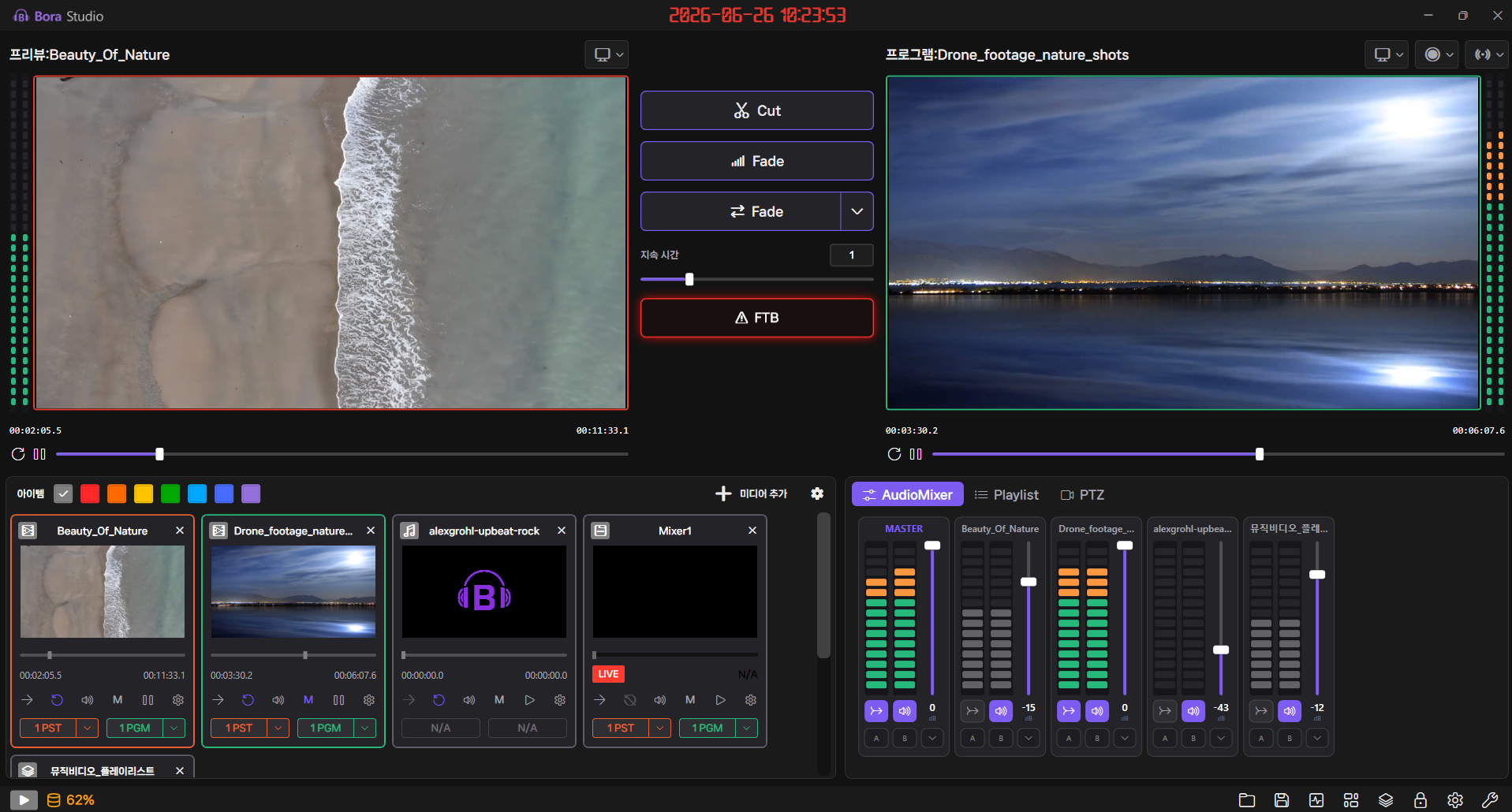
Diverse Input Sources
Camera · mic · network (SRT/RTMP/NDI) · file · playlist.
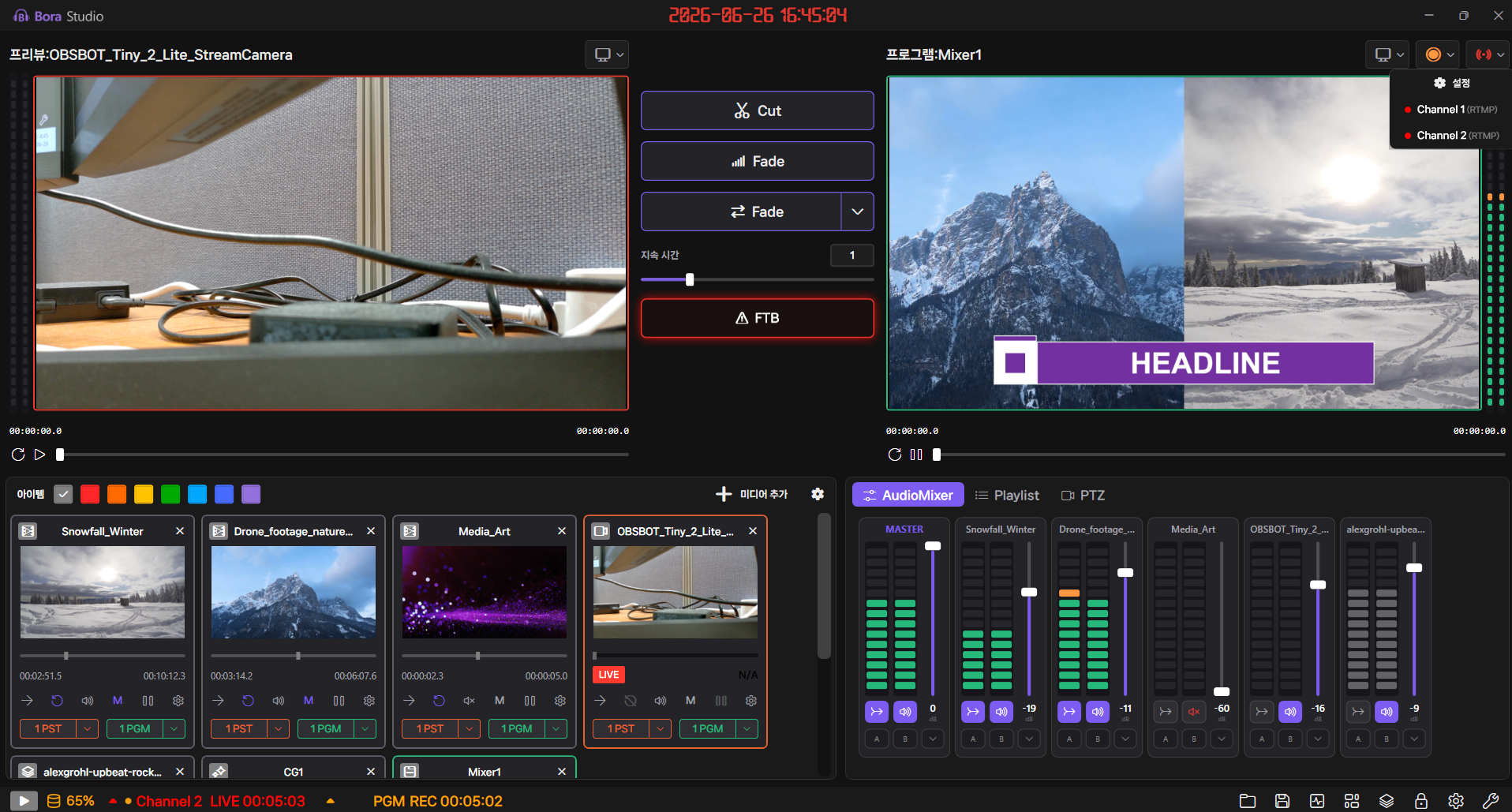
Multi-Platform Streaming
Simultaneous multi-channel streaming over RTMP · SDI · NDI, with concurrent recording.
Smart Audio Mixing
A 7-channel mixer with real-time VU meters and level-detecting auto-mix.
CG / Graphic Overlays
Run 10 overlay slots at once, combining static CG and dynamic HTML CG.
Professional Recording
H.264/AAC up to 1080p, with multi-profile simultaneous recording and markers.
PTZ Camera Control
Pan · tilt · zoom, with preset save and recall.
External System Integration
Remote control and monitoring via REST API · WebSocket · web preview.
Five capabilities, one Gemiso Live Studio
PGM / PST Separated Workflow
Real-Time Video SwitchingA professional workflow that separates the on-air program (PGM) from the preview (PST). Build your next scene in advance and cut at exactly the right moment.
- 01Transition effects
Cut · fade · custom transition effects, with freely adjustable transition times. - 02Preview staging
Stage the next scene in PST and take it live at the right moment. - 03FTB (Fade to Black)
Cut picture and audio to black in a single click.
Bring Any Source onto One Screen
Diverse Input SourcesFrom cameras and mics to network protocols and media files — with playlists that auto-cycle video, audio, image, and text CG.
- 01Live
Camera · mic · set camera · screen capture. - 02Network sources
SDI · NDI · SRT input. - 03Files
Video · audio · image files. - 04Playlist
Auto-cycle video · audio · CG playback.
Stream to Multiple Channels at Once
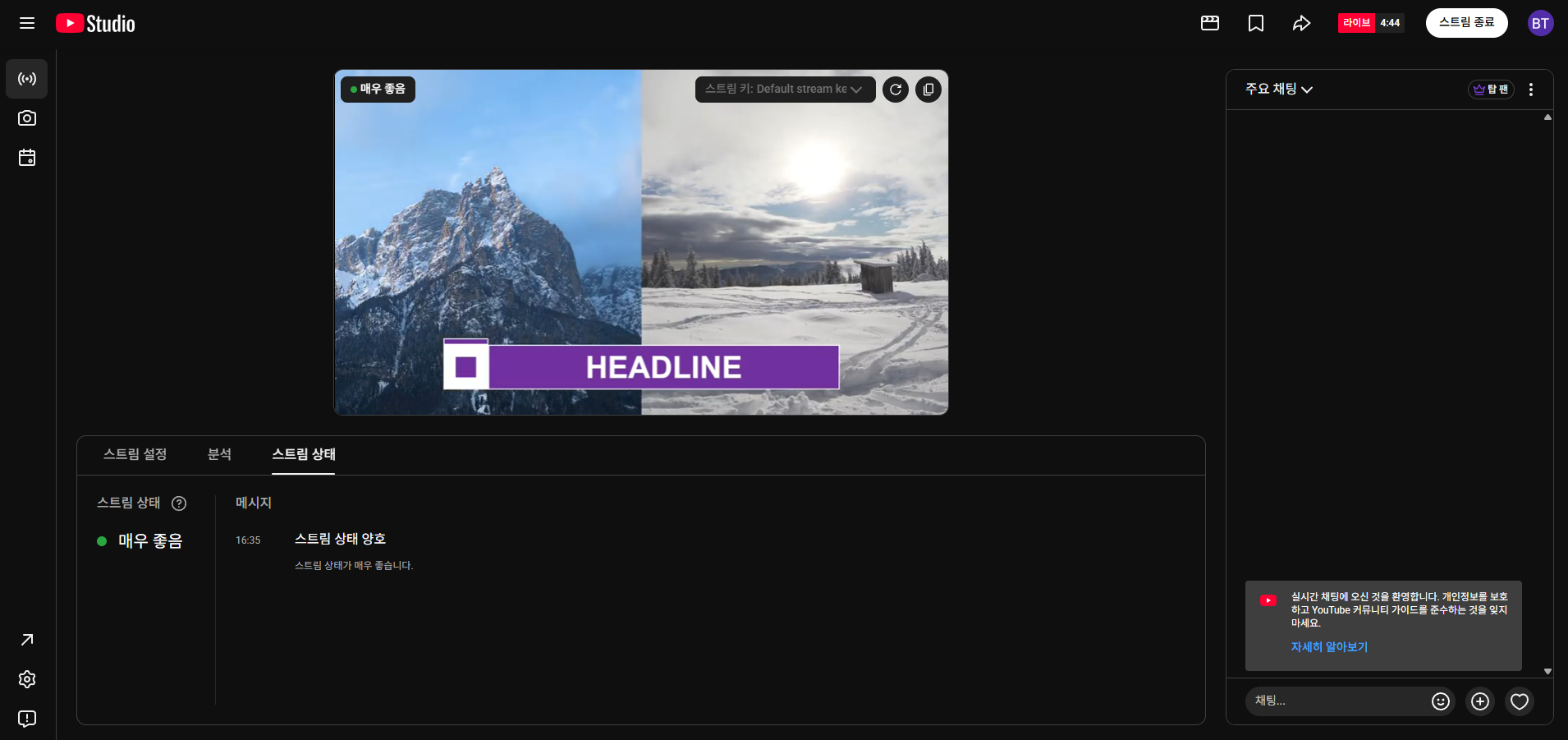
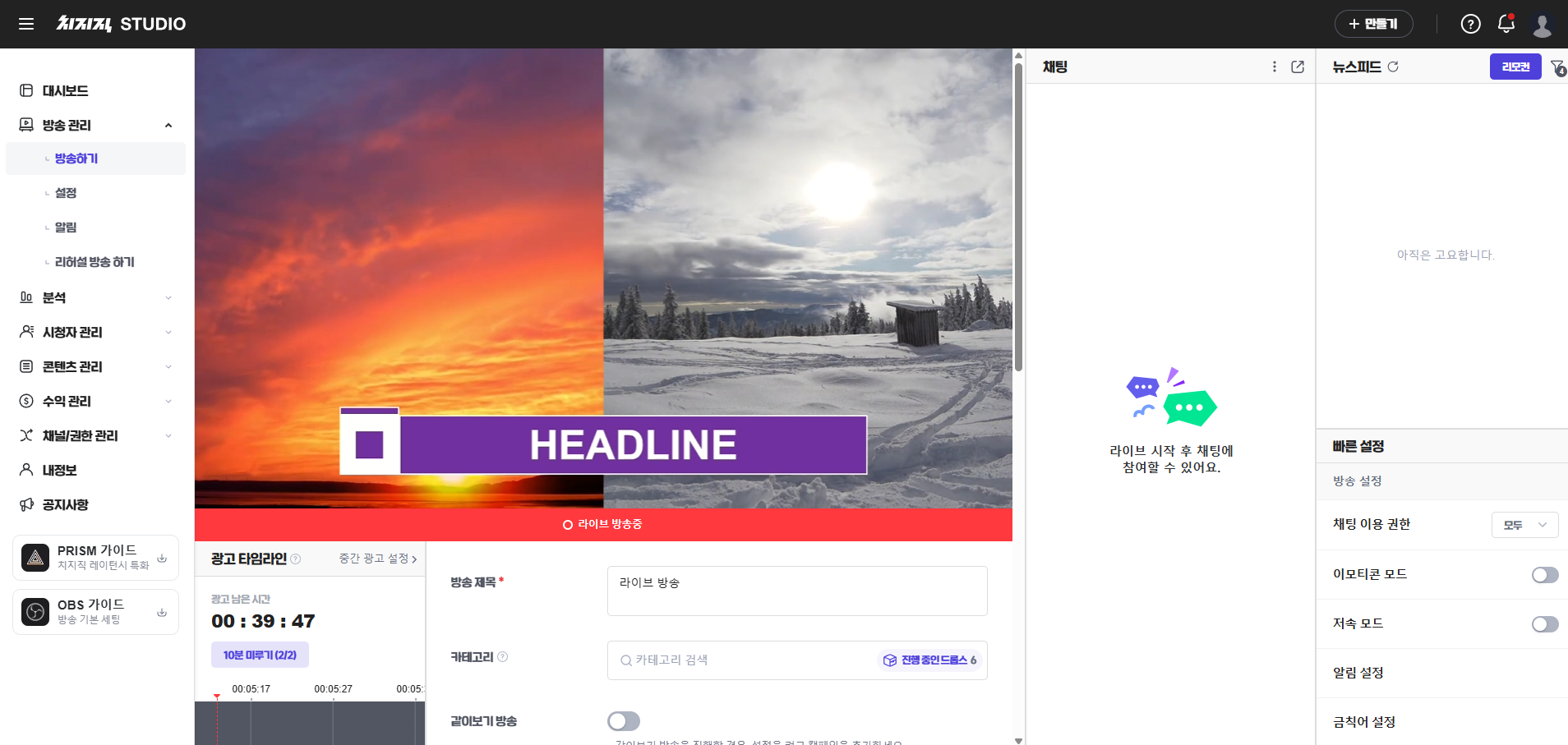
Multi-Platform StreamingReach major platforms like YouTube · Chzzk through a custom RTMP server, with SDI · NDI output. Set codec, bitrate, and resolution per channel, and record while you stream.
- 01RTMP · SDI · NDI
With custom server, stream key, latency and encryption settings. - 02Simultaneous multi-channel streaming
Per-channel codec, bitrate, and resolution. - 03Stream & record
Record while you stream.
Limitless Design Freedom, 10 Overlay Slots
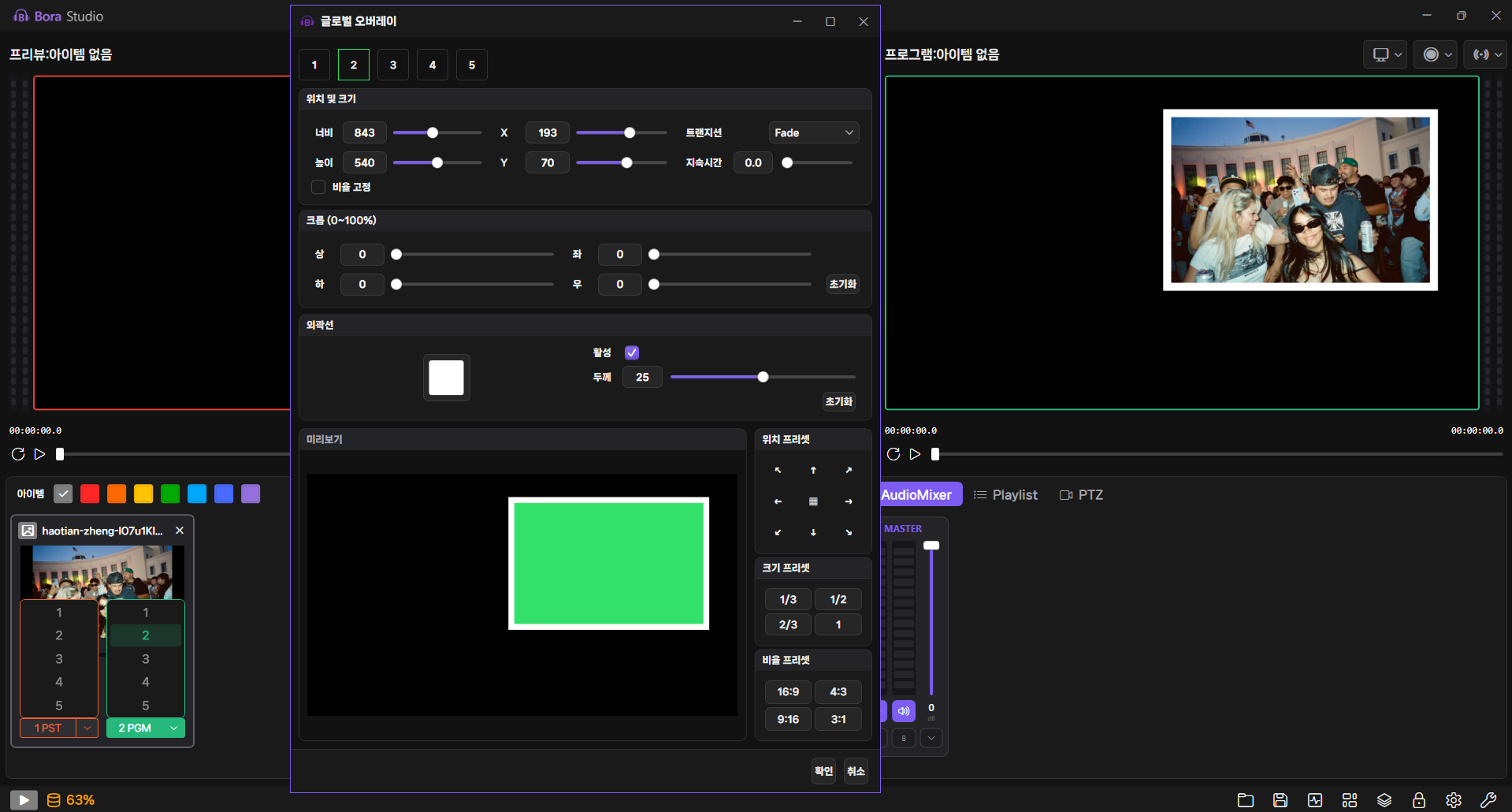
CG / Graphic OverlaysFrom text-editable static CG — lower-thirds, titles, clocks, and tickers — to dynamic, web-based HTML CG. Control position, size, and border on every layer.
- 0110 overlay slots
Run 10 overlay slots at once, in a 3×3 grid plus fullscreen (position · size · border). - 02Static CG
Text-editable graphics such as lower-thirds, titles, clocks, and tickers. - 03HTML CG
Dynamic, web-based graphics with limitless design freedom.
Record in High Quality While You Broadcast
Professional Recording & OutputRecord up to 1080p at 5M–50M bitrate with H.264/AAC codecs. Alongside multi-profile and per-source recording, clean PGM recording strips out CG, playlists, and overlays to leave a pristine master ready to re-edit and reuse.
- 01Broadcast-grade quality
H.264/AAC codecs · up to 1080p · 5M–50M bitrate. - 02Multi-profile simultaneous recording
Capture multiple qualities while you stream. - 03Per-source recording
Capture each input source separately. - 04Clean PGM recording
A pristine master free of CG, playlists, and overlays. - 05Faster post-production
Automatic file-naming rules and recording markers.
One Seamless Workflow
Proven Technology, Measured Results
Download Gemiso Live Studio
Gemiso Live Studio
Checking for the latest release…
A license is required to run Gemiso Live Studio. After installing, contact us to request your license.
The Entire Media Lifecycle as One
Media Asset Management
Manage the Full Media Asset Lifecycle
Learn MoreZODIACNewsroom
From Planning to Playout, All in One Newsroom
Learn MoreTALOSAutomated Playout
Always-On Automated Playout
Learn MoreGEMISO RADIO LIVERadio
Audio File System for Radio Operations
Learn MoreMAIAAI Technology
The AI engine suite built for broadcast
Learn MoreSTRATOSContent Archive
The content you need, the moment you need it
Learn MoreNEXUSContent Distribution
One piece of content, every channel
Learn MoreEvaluating Gemiso Live Studio?
Tell us about your broadcast workflow and our team will design how Live Production fits into it, together with you.